


Using an AI outpainting tool means that you can easily adjust the aspect ratio of your images without having to crop or stretch them. This technology can expand your visuals amazingly, like adding more to scenes, filling out the edges, and so on. You can choose to expand your images up, down, left, or right and adjust dimensions to fit your needs. It’s ideal for social media posts, banners, marketing visuals, or wide-format designs. This kind of AI outpainting tools can extend the content of images in four directions while maintaining the original style of the image.
Here is an example image using FlexClip’s AI outpainting tool.
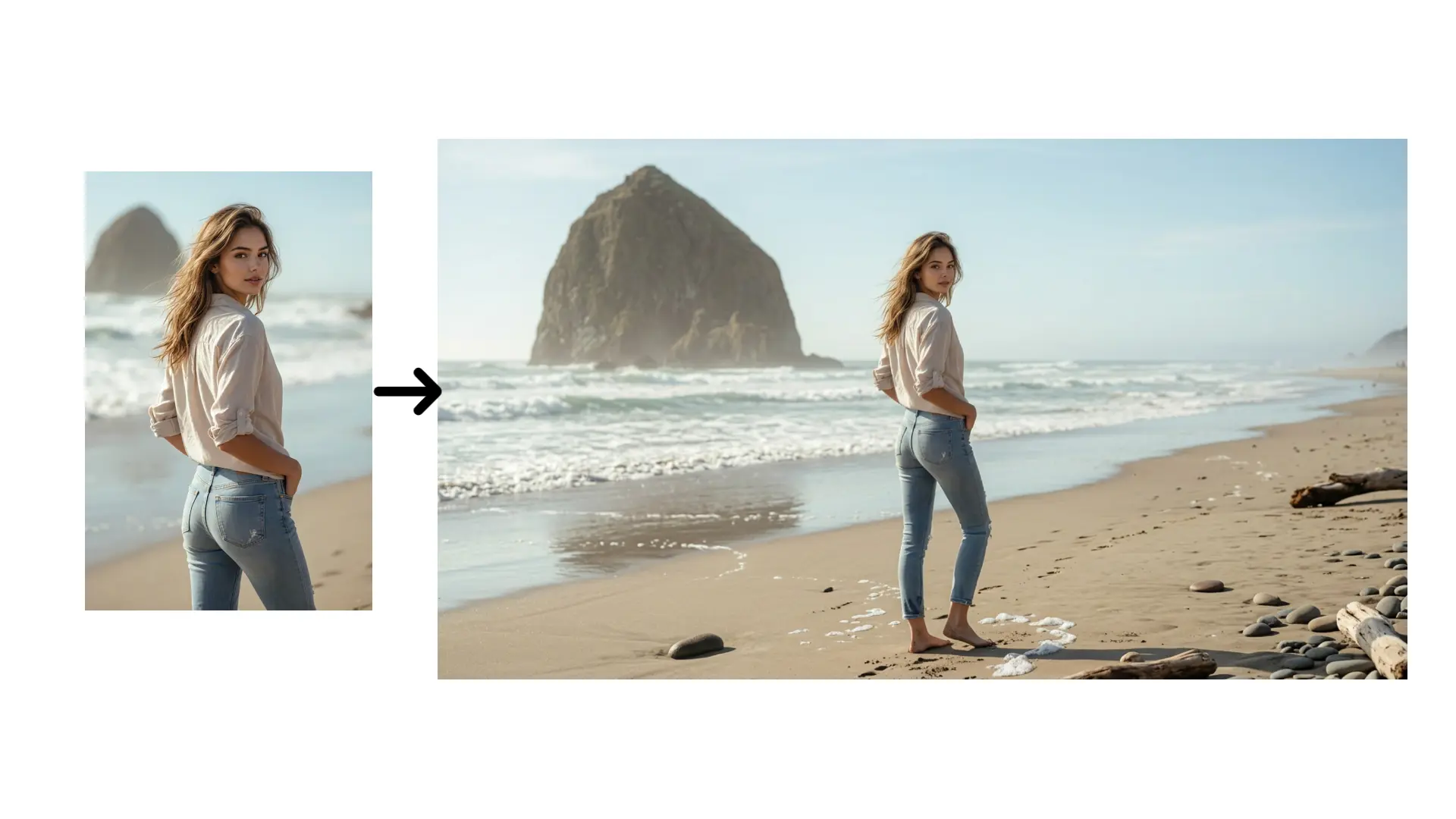
Example Image 1 - FlexClip
Part 1 How to Extend Your Images in any Directions in FlexClip
Method 1 Extend Images with AI Photo Editor
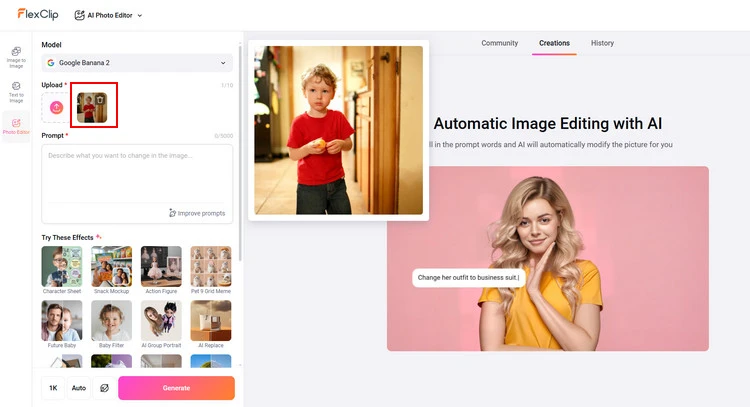
Upload Portrait Photo - FlexClip
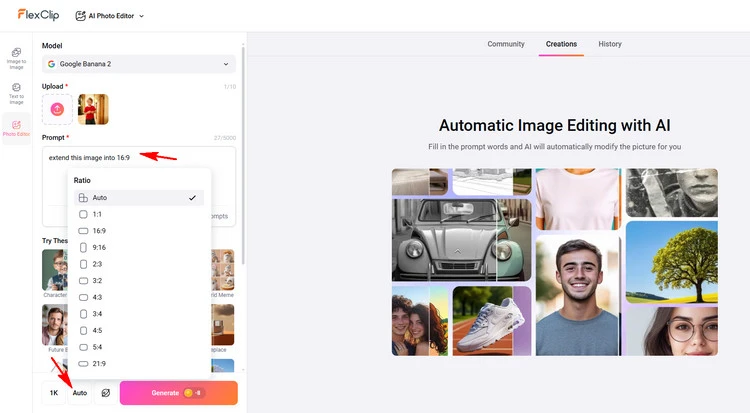
Type Description - FlexClip
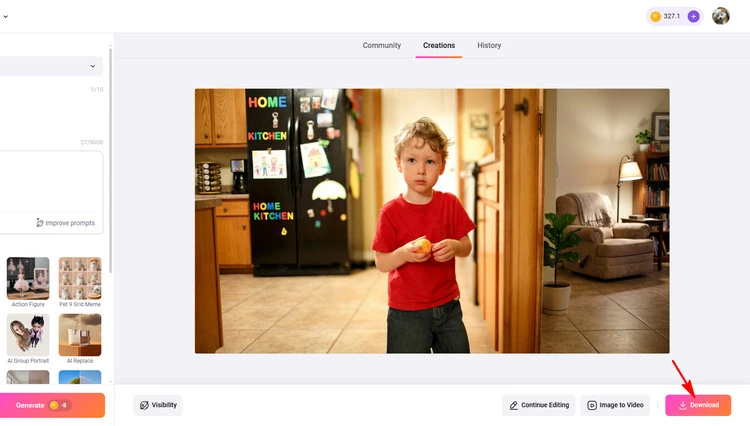
Download Your Image - FlexClip
Method 2 Extend Images with AI Image Extender
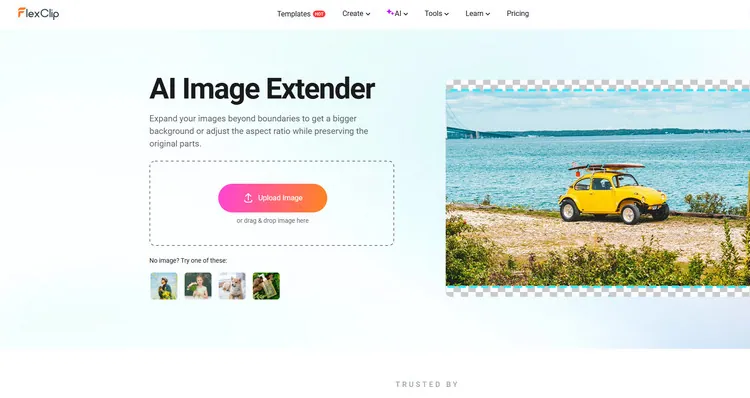
Upload Your Photos - FlexClip
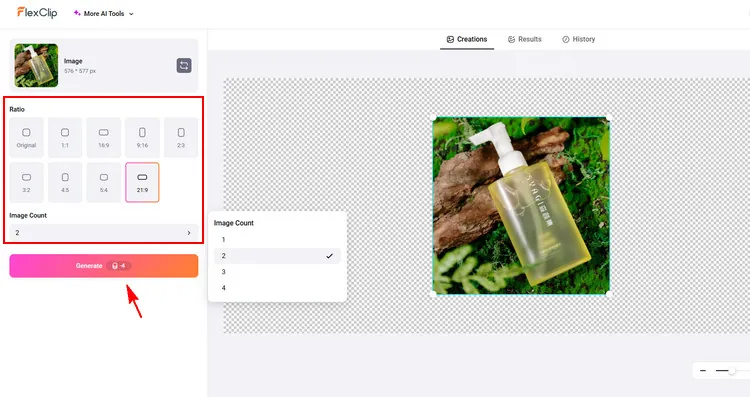
Outpainting Your Photos - FlexClip
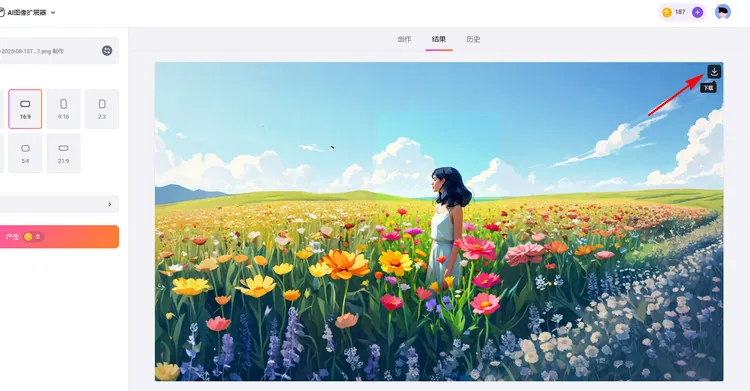
Download Your Photos - FlexClip
Benefits of FlexClip’s AI Outpainting Tool
FlexClip can be regarded as one of the best AI outpainting tools for easily extend your images in any directions with AI technology. This AI outpainting tool works well on both photos, whether in landscapes or portraits. It allows you to expand your pictures beyond their original borders, seamlessly blending new content with the existing image. FlexClip can easily expand your images beyond boundaries to get a bigger background or adjust the aspect ratio while preserving the original parts.
What you need do is simply visit FlexClip’s AI photo editor in your browser, upload the image you want to expand and type relevant text prompts; then, its advanced AI technology will instantly generate new visual elements that seamlessly blend with your original picture, ensuring consistency in color, tone, and style. And FlexClip’s AI photo editor can automatically recognizes subjects and extends images in all directions while keeping the original intact.
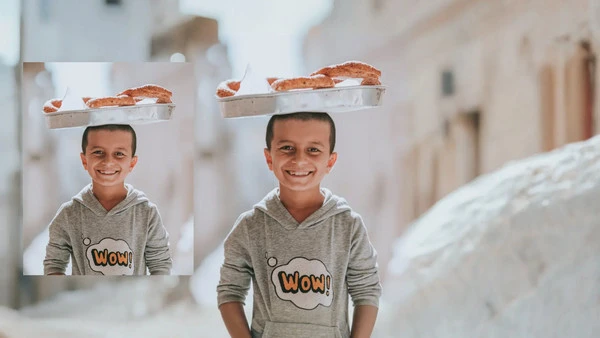
Example Image 2 - FlexClip
Moreover, FlexClip’s AI image extender also provides aspect ratios for you to apply it to your images directly. It offers 8 aspect ratios for generating vertical, portrait, horizontal, or custom-sized images with just one click. You can even get up to 4 different AI outpainting image results at once. It’s a powerful and creative way to intelligently expand the canvas by generating new content that blends seamlessly with the existing image. No matter what style of photo you upload, FlexClip’s AI image extender can generate extended content in a similar style for you.
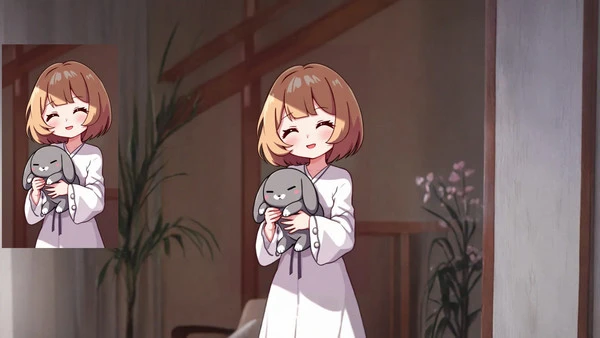
Example Image 3 - FlexClip
Besides, FlexClip also provide an easier way for you to display your AI-generated images online. Its designer-made templates allows you to upload your images directly and its AI will auto fill the template and generate matching text in minutes. Try these video templates below!


Part 2 How to Extend Your Images in any Directions in Getimg.ai
Use this outpainting tool to easily complete images and photos online with simple one-click tools. This powerful AI image completer allows you to expand your pictures beyond their original borders, seamlessly blending new content with the existing image.
It can extend the canvas or background of an image using AI Outpainting. You can add extra space in all directions or change the aspect ratio. This process allows you to create new visual elements beyond the original borders, enhancing the composition and creating a more immersive visual experience. This AI outpainting expands an image beyond its original borders, adding new content to extend the scene. It’s ideal for imagining what lies beyond the frame.
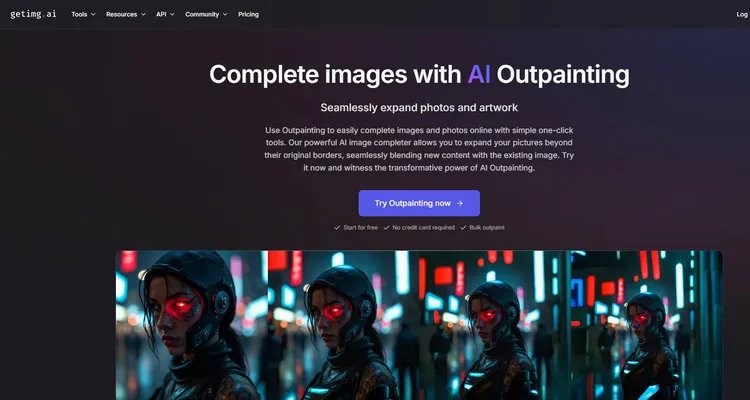
Online AI Outpainting Tool - Getimg.ai
The Bottom Line
This post talks about how to use 2 AI outpainting tools to enrich your images online. With these strong image/video makers, you can create different kinds of images/videos in minutes! Let’s have a try!




FlexClip AI Video Maker
Reach professional-quality videos faster with easy editing tools, templates, and smart AI.
Start Now for Free
Hot & Trending
-

Best Ways to Find Music in YouTube Videos
-

Instagram Story Video Quality Bad After Upload? Fix It!
-

How to Repost Video on TikTok & How to Remove TikTok Repost
-

Improve Video Quality Online: 3 AI Video Quality Enhancers You Can't Miss
-

4K Convert to HD 1080p without Watermark: Best 4k Video Converters
-

Best 8 Free Video Editors - No Download Required
-

Top 13 Birthday Video Makers with Music and Effects Free
-

How to Search Filters on TikTok & Use a Filter You See - TikTok Filter Guide




